
Integration
Starhive Integration for Jira
Close issues faster by adding assets, CIs, or other helpful data to your tickets.
Starhive is an affordable, limitless asset database that works with any version of Jira Cloud.
Do you need a new way to add business assets and data to your Jira issues?
Like a laptop, a piece of equipment, a service or a customer?
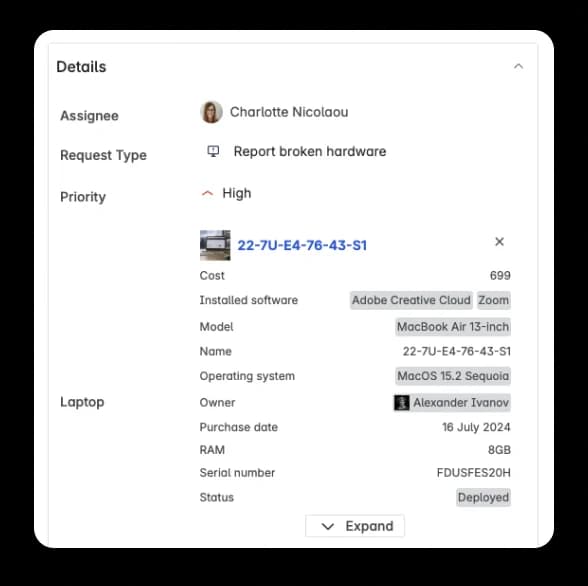
With Starhive, you can store whatever extra data you need. Then simply add Starhive custom fields to your Jira issues, and voila!
Now you have extra data for your Jira issues at the global level so your team can work more efficiently and you get better reporting across projects.
“The flexibility in Starhive (which we use to manage all our data about charging stations, locations, utilization, customers, etc.) is unparalleled. This is a great value add for anyone using Jira.”
Why Jira users love Starhive for asset management
| Starhive | JSM Assets | |
|---|---|---|
| Assets connected to Jira issues | ✔️ | ✔️ |
| Unlimited schemas | ✔️ | ⛌ |
| Max number of objects | Over 10 million | 3 million |
| Mobile app for editing asset data | ✔️ | ⛌ |
| Variety of attribute types | High inc. map and completeness | Limited |
| Max attributes per object type | Unlimited | 120 |
| Network scanner | ✔️ (via Lansweeper) | ✔️ |
| Query language | StarQL (works in JQL) | AQL |
| Asset management templates | ✔️ and expanding | ⛌ |
| Affordability | Unlimited users on every plan | - |
| Max links between object and ticket | Unlimited | 20 |
| Max relationships per service | Unlimited | 20 |
| Unique constraints per object type | Unlimited | 2 |
Do more with your Jira platform
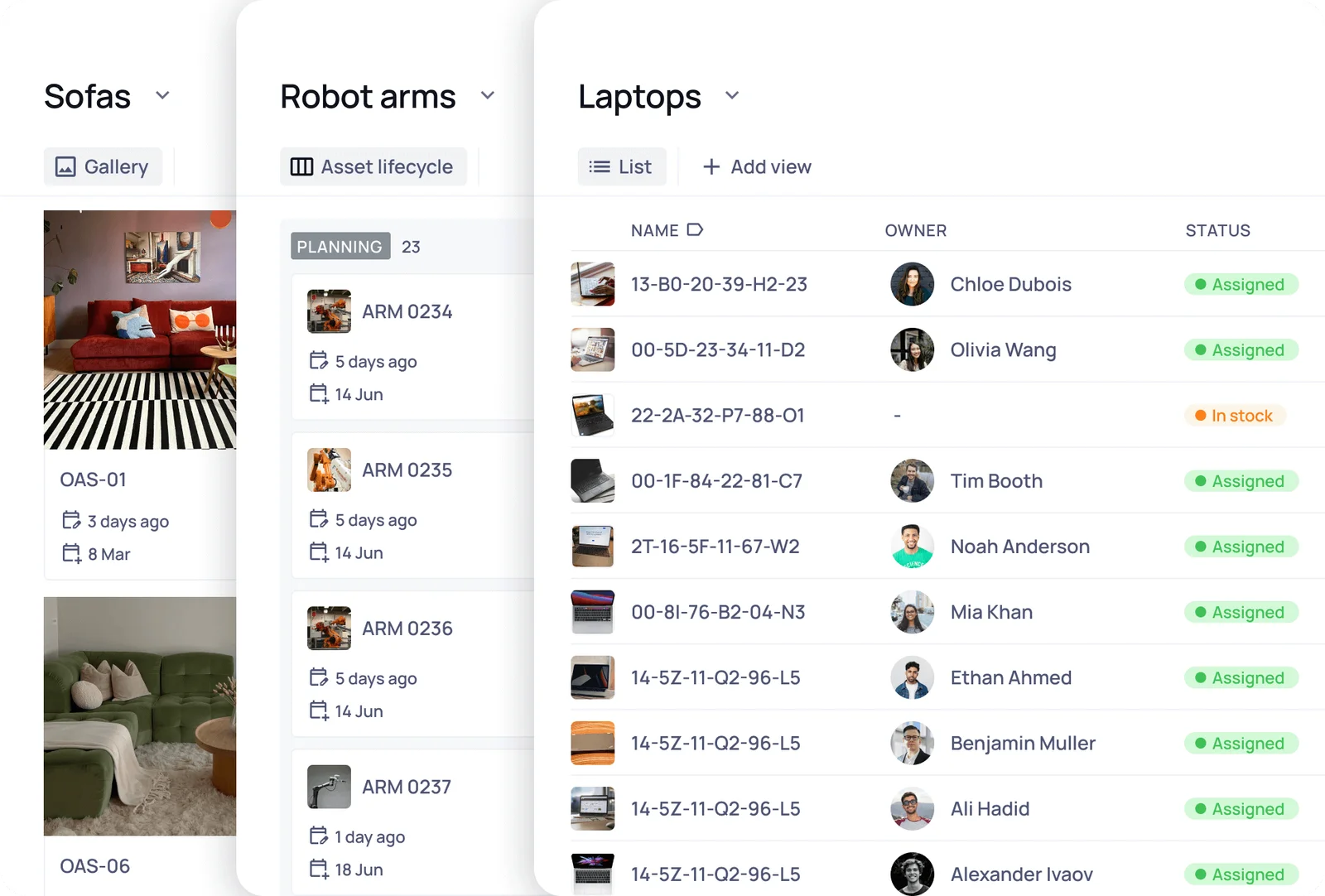
Store whatever data you need in Starhive
We don’t know your Jira processes but we're confident there's extra data you might want to add to your issues. With Starhive, you can create a database of anything and link your data to your Jira issues.
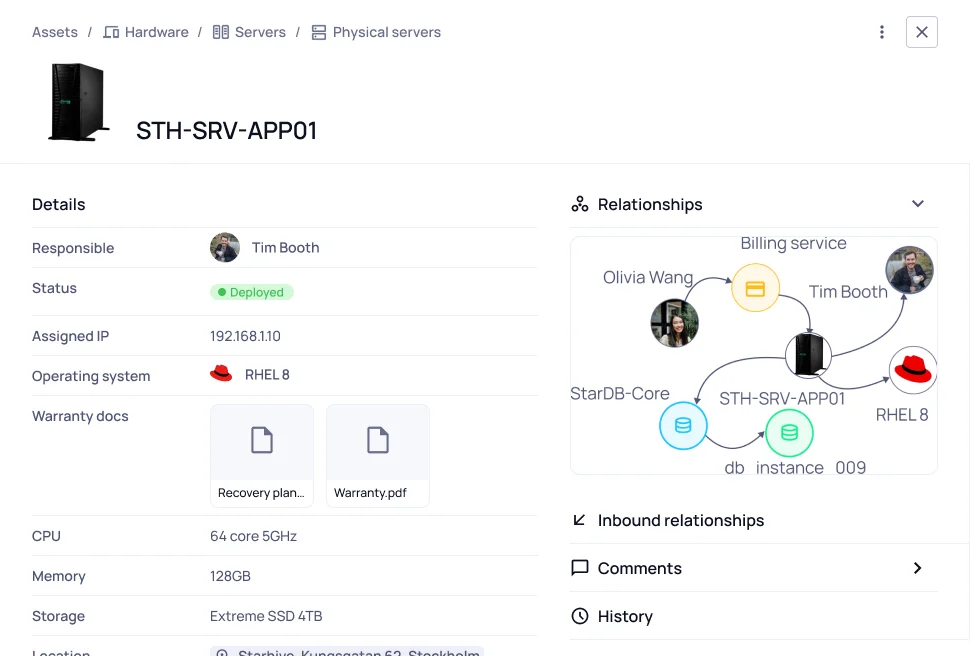
Work with digital assets too
Add images, videos, PDFs, or any other type of file and access them from Jira. As the file is stored in Starhive, you aren't making copies every time you add it to the Jira issue like you would with issue attachments.
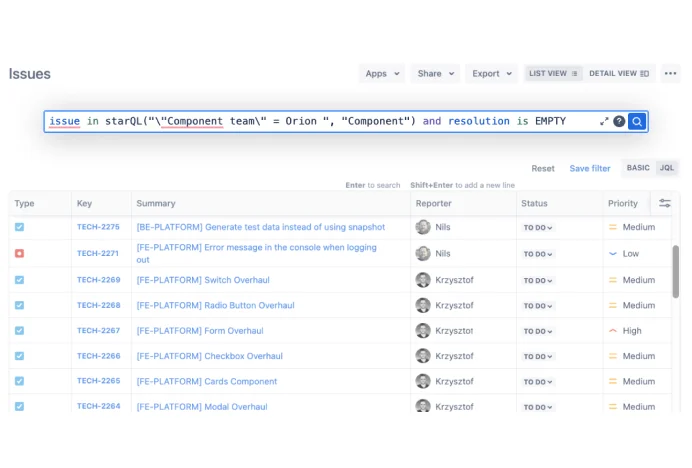
Find what you need
Starhive’s StarQL language integrates with JQL so you can easily find the issues you need based on the properties of attached Starhive objects. For example, you can find all Jira issues that are associated with Starhive server data objects that are owned by Timothy.
How to get started
- 01
1. Create a Starhive account and add your assets or data
- 02
2. Add the Atlassian Marketplace app and configure custom fields
- 03
3. Enjoy faster resolution rates and simplified reporting
Start adding more context to your Jira issues!
If you want to know more about connecting a Starhive database to your Jira tickets, book a personalised demo.
FAQ
Got a question about the Starhive Integration for Jira?
Does it cost to use the Starhive Integration for Jira?
No, the Jira integration can be accessed for free from the Atlassian Marketplace. It is free to use for any Starhive user.
How do I install the Starhive integration for Jira?
You can find us in the Atlassian Marketplace if you search for Starhive. Full documentation on how to set up the integration and your custom fields can be found here.
Which versions of Jira does Starhive work with?
The Starhive Integration for Jira works with any plan of Jira Cloud and Jira Service Management Cloud.
Get the latest insights

IT Service Management (ITSM)
The 10 CMDB best practices for successful business implementation
If you're here, chances are you're planning to implement or improve a configuration...
8 min read
IT Service Management (ITSM)
Getting started with ITSM:: A guide to streamlined service delivery
For many small teams, IT Service Management (ITSM) might sound like it’s reserved for...
6 min read

IT Service Management (ITSM)
ITSM vs ITOM: What’s the difference?
As businesses increasingly rely on digital services, ensuring seamless IT operations is...
4 min read

IT Service Management (ITSM)
What is Enterprise Service Management (ESM) and why does it matter?
Organisations constantly seek ways to improve efficiency, streamline operations, and...
4 min read
Start today
Describe it. Nova sets it up. Your team runs it.
Try Starhive free for 30 days, or let us show you around.